The iPhone expense tracker
that actually sticks
Log any expense in seconds, set monthly budgets, and see exactly where your money goes. No bank linking, no account, no complications — just a fast, private expense tracker built for iPhone.
Personal finance tracker · Budget planner · Spending insights · No bank login · No account required

iOS 15.1+ · Free download · No account required
A complete expense tracker.
Without the complexity.
Expenly gives you every tool you need to track daily expenses, manage budgets, and understand your spending — in a clean interface you'll actually open every day.
Budget Tracking
Set a monthly spending budget and track your progress in real time. Color-coded indicators tell you at a glance whether you're on track, close to the limit, or over.
Spending Insights
Beautiful charts break your spending into categories, highlight your top merchants, and reveal the patterns quietly eating your budget — across any time period.
Instant Search
Find any expense in seconds. Layer filters by category, merchant, tag, payment method, and custom date ranges to zero in on exactly what you're looking for.
Monthly Highlights
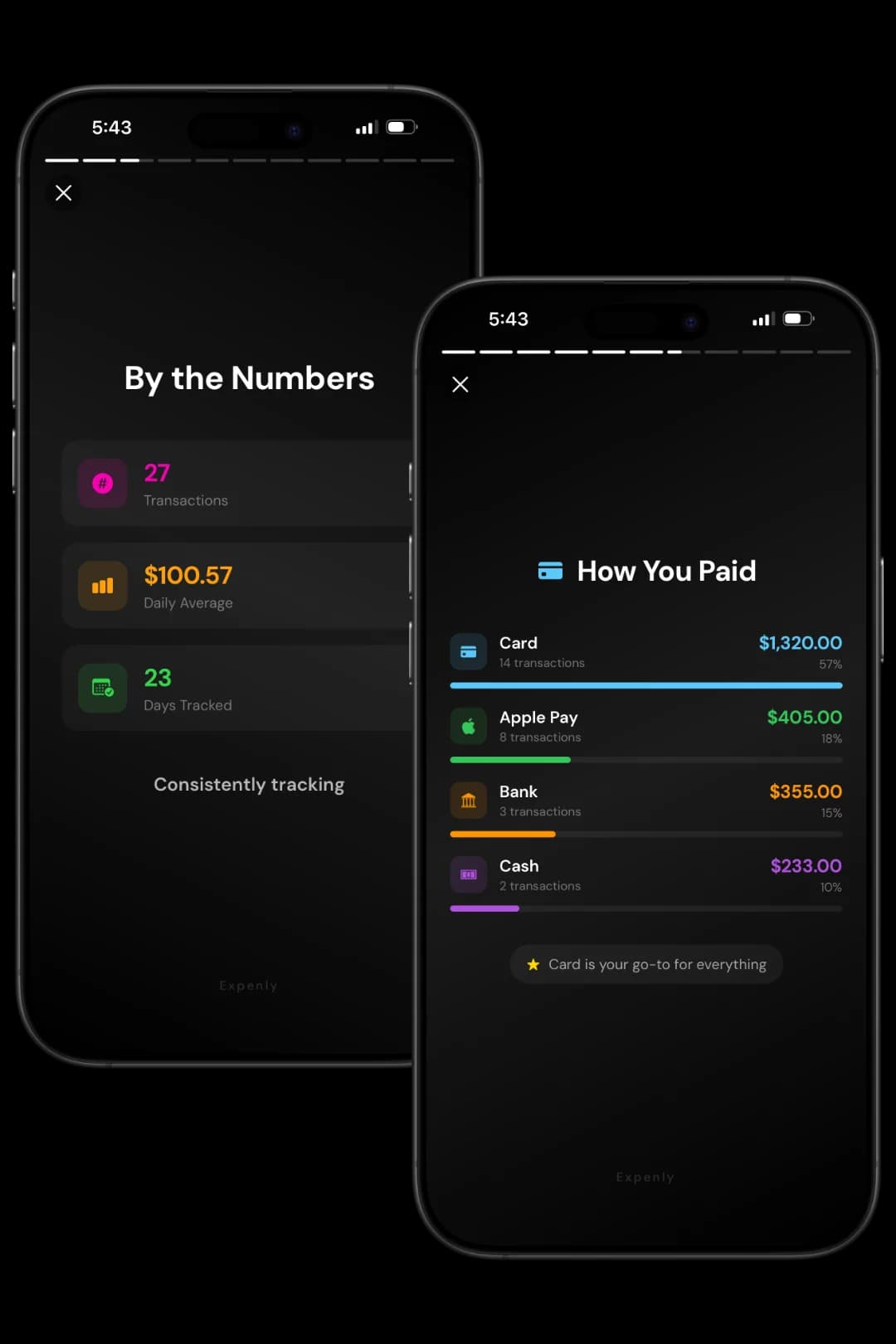
A story-style recap of your spending month: total spent, daily averages, peak days, top categories, and most visited places — automatically generated, no effort required.
Calendar History
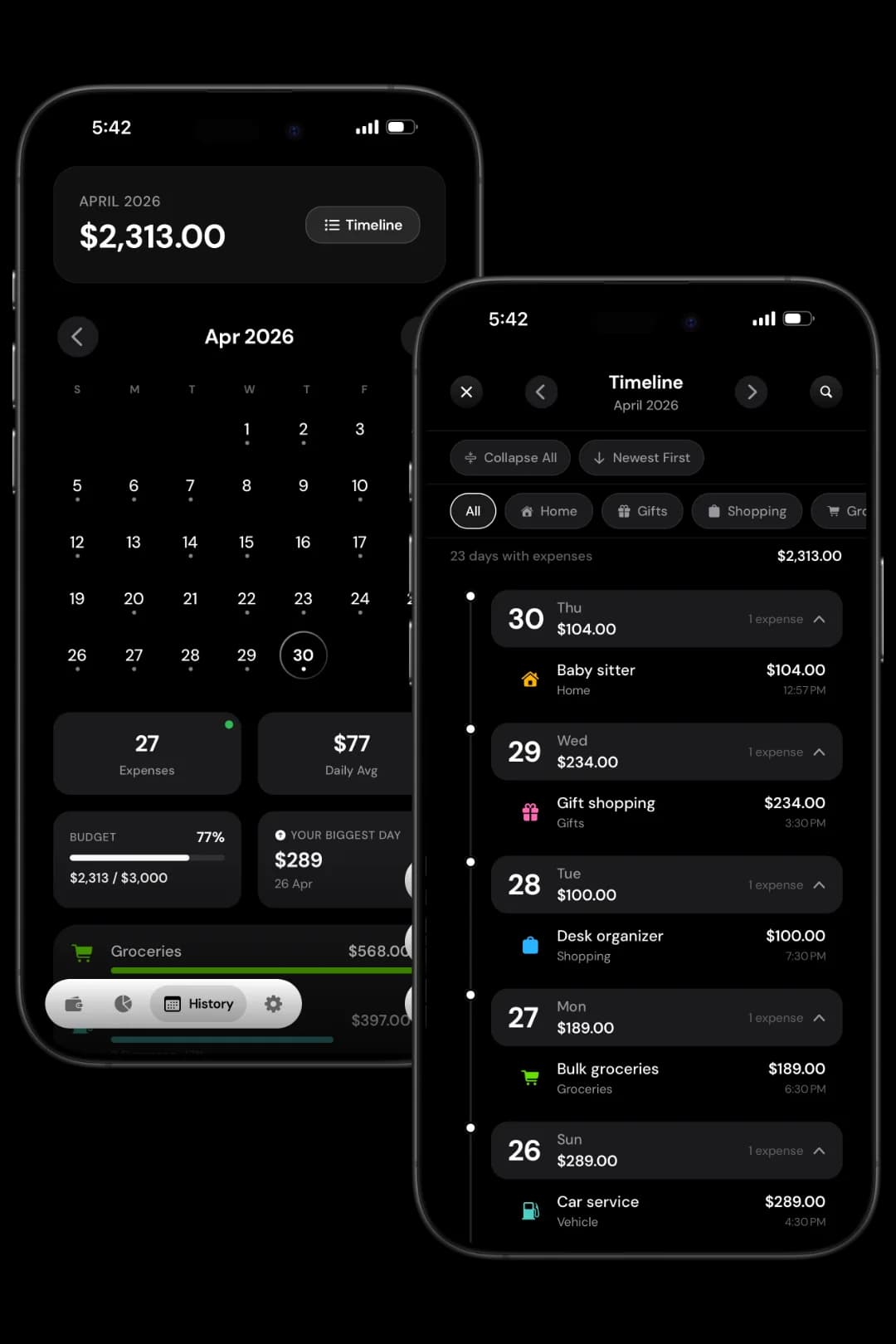
Navigate your entire expense history on a calendar. Tap any date to expand that day's spending, or switch to Timeline view for a chronological flow through the month.
iPhone Widgets
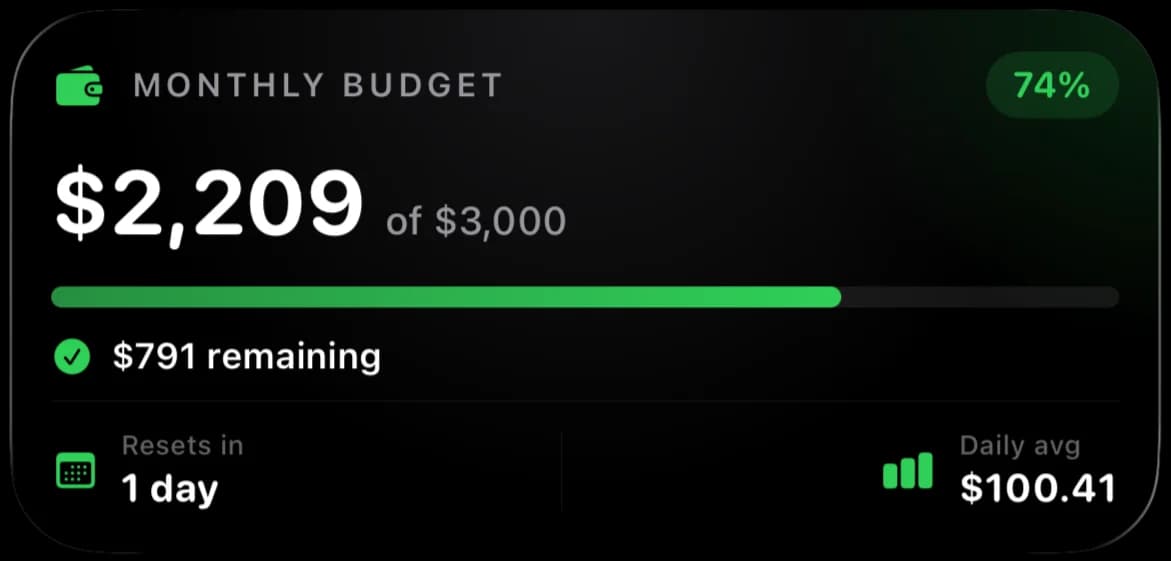
Home screen and lock screen widgets show today's total, this week's spending, or your monthly budget progress — all without opening the app.
See every dollar the moment you spend it
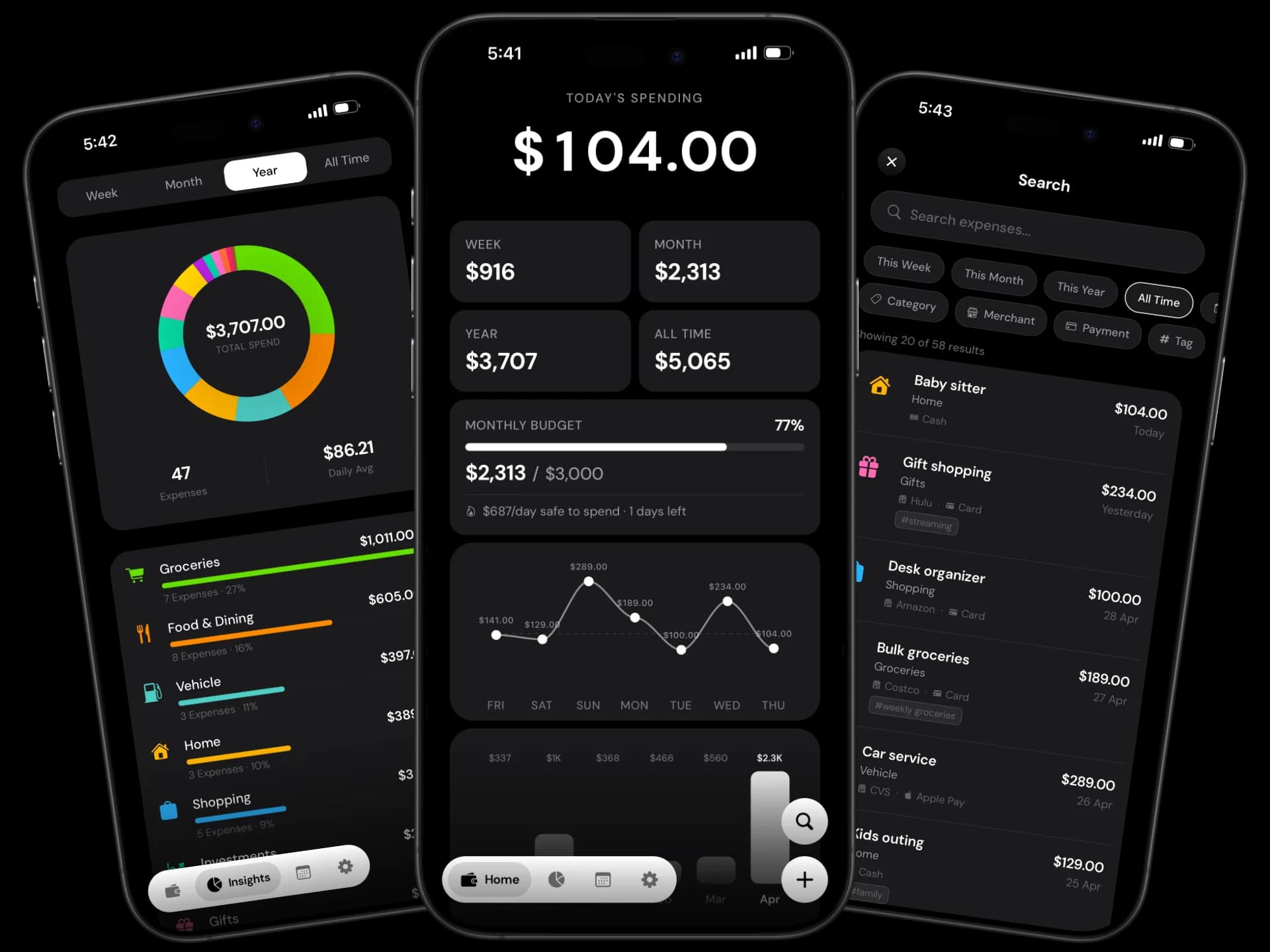
Open Expenly and your entire financial picture loads instantly — no syncing, no loading screens, no bank permissions. Today's spending, live budget progress, a 7-day trend chart, and your latest expenses all on one screen.
- Spending totals for today, this week, this month, this year, and all time
- Live color-coded budget progress — know exactly where you stand
- 7-day spending trend and 6-month bar chart at a glance
- Your most recent expenses always front and center
Understand exactly where your money goes
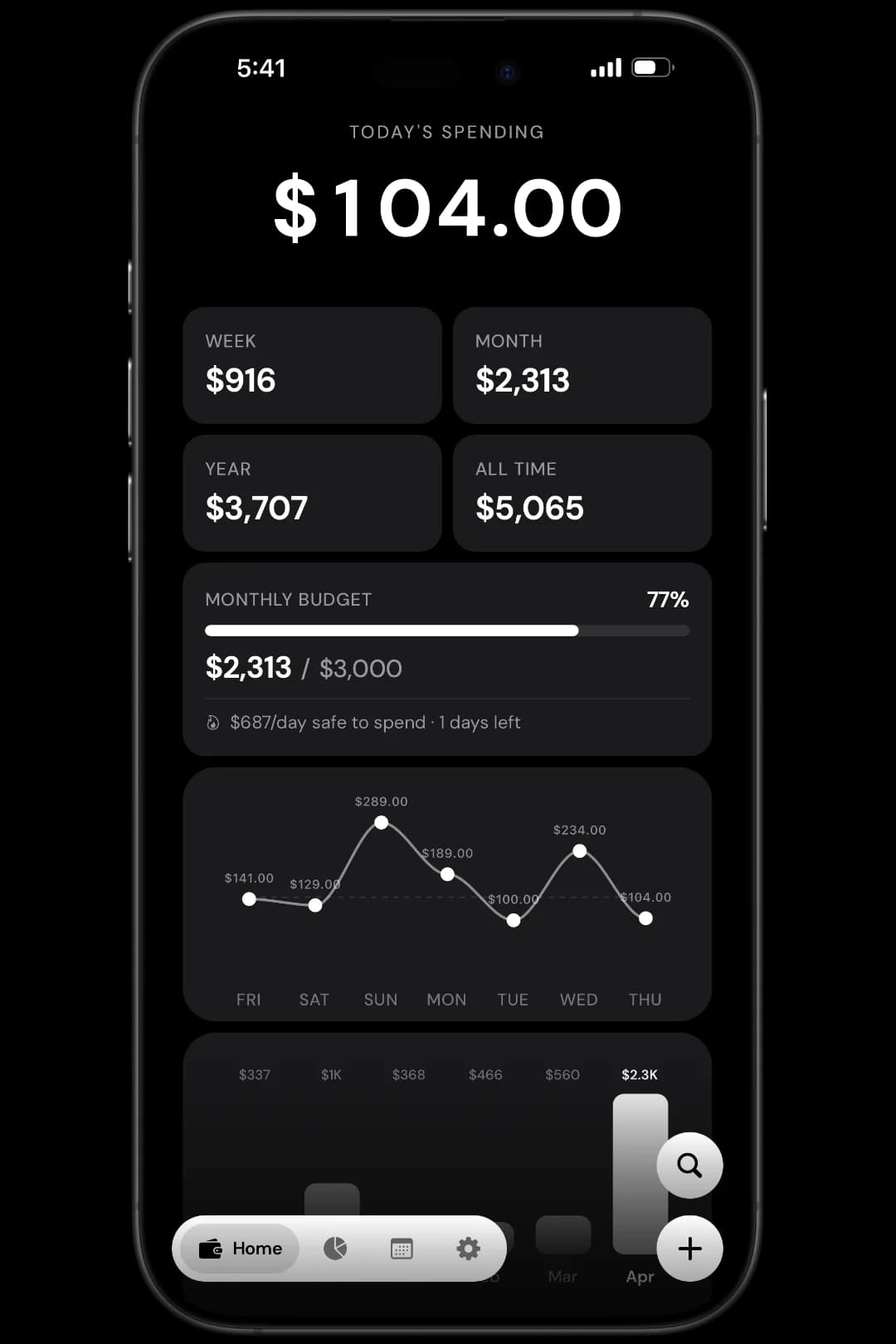
Stop guessing. Expenly breaks down every cent you spend into clear categories — so you can see whether it's dining out, subscriptions, or groceries quietly eating your budget. Filter by any time period to spot trends and make smarter decisions.
- Interactive donut chart by spending category
- Top merchants, biggest purchases, and payment method breakdown
- Week, month, year, or all-time — your choice
- Spot the patterns that silently drain your budget
Find any expense in under three seconds
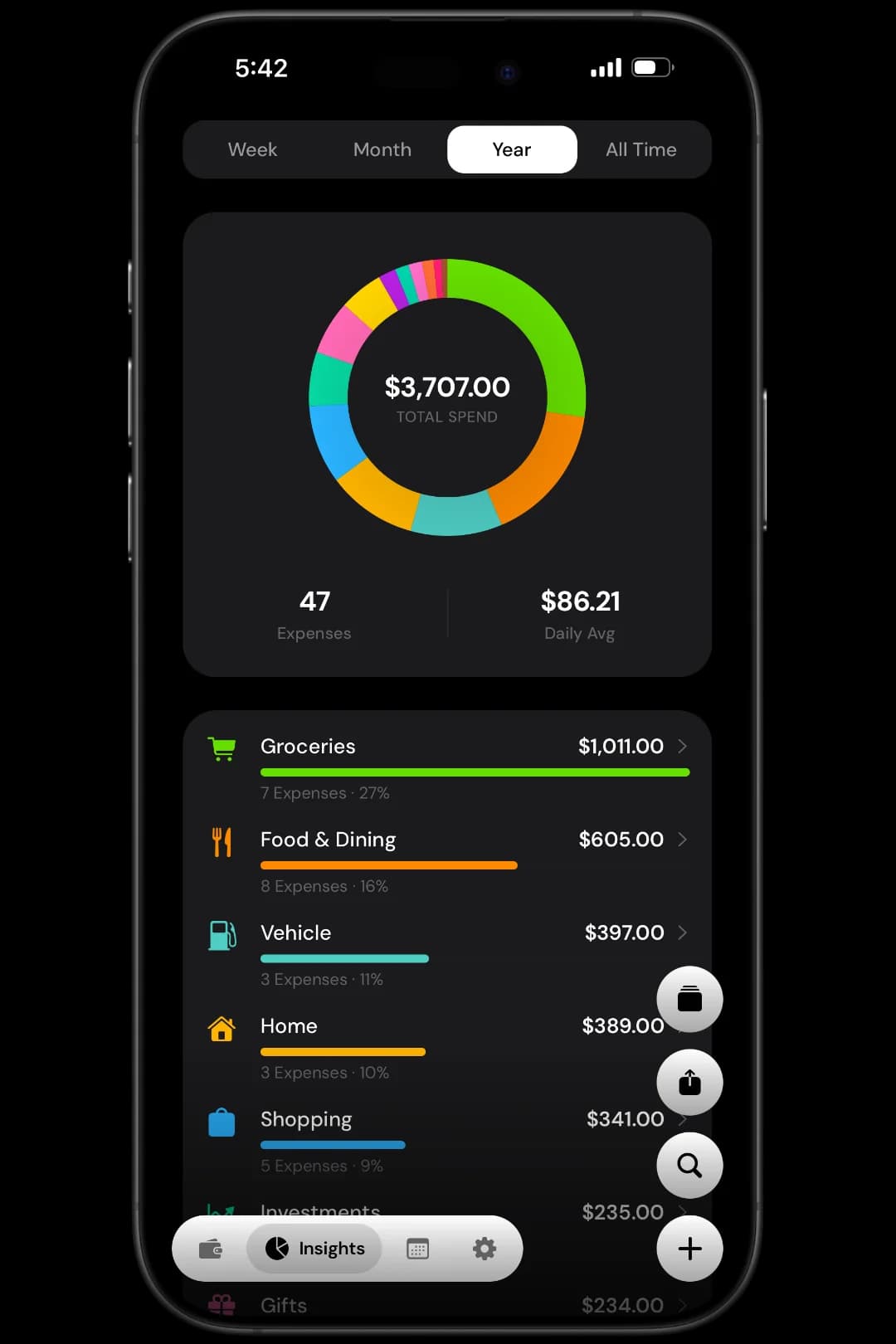
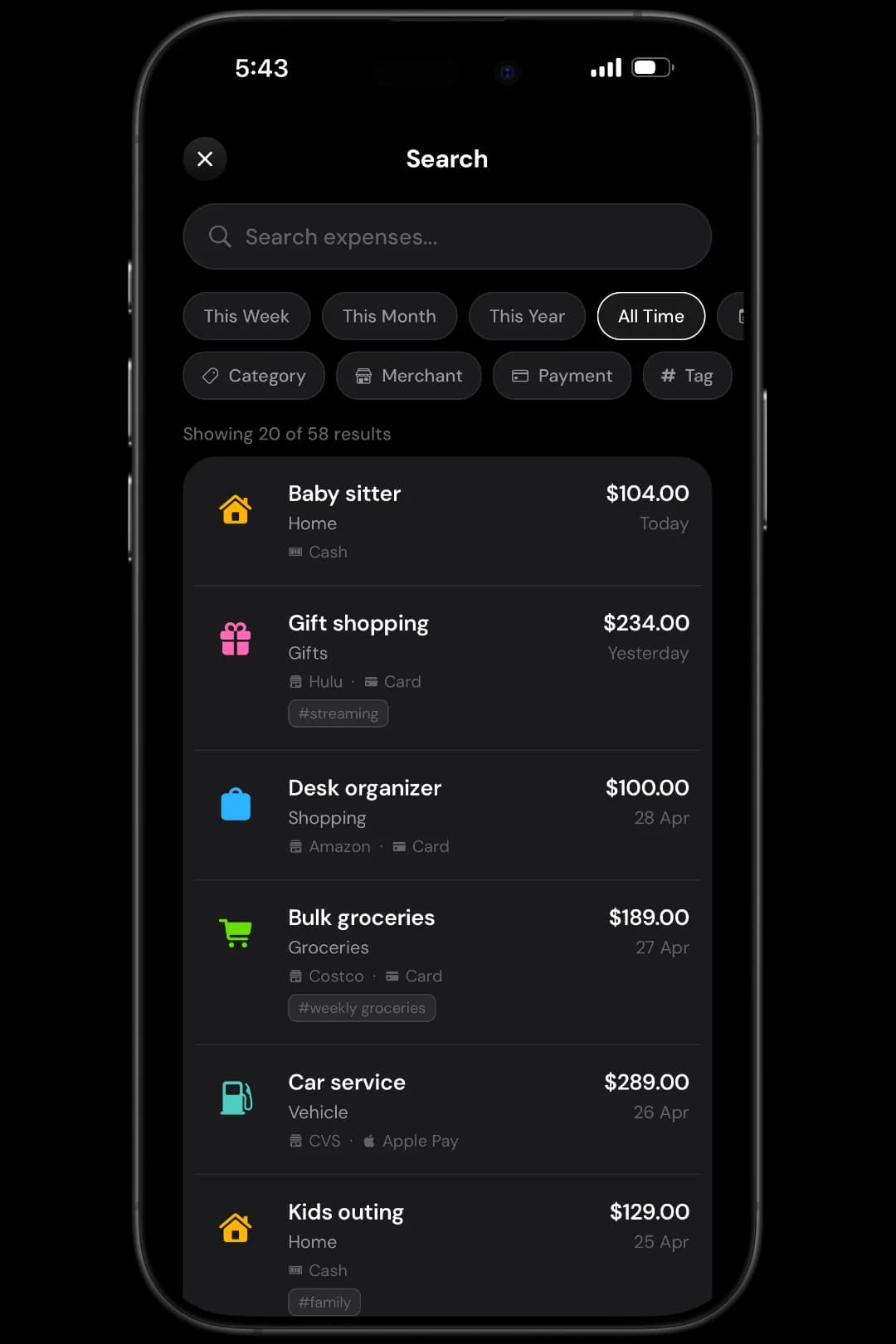
Whether you're looking for last month's coffee habit or trying to find a specific transaction from six months ago, Expenly's search is fast and precise. Layer multiple filters until you zero in on exactly what you need.
- Full-text search by expense name, notes, or merchant
- Filter by category, tag, or payment method simultaneously
- Custom date range picker for any time period
- Instant results across your entire expense history
Your financial month, told as a story
Every month, Expenly automatically summarizes your spending into a visual story you can swipe through. Think of it as your personal finance wrapped — total spent, daily averages, peak spending days, and the places that cost you most.
- Total spending and number of transactions for the month
- Daily average spend and top spending category
- Your most-visited merchants and peak spending day
- Biggest single purchases and how you paid for them
Navigate your complete spending history
Never lose track of a past expense. The calendar view gives you a bird's eye view of your spending month by month. Tap any date to expand that day's expenses, or switch to Timeline for a clean chronological flow.
- Month-by-month calendar navigation across your full history
- Tap any date to instantly expand that day's expenses
- Timeline view for chronological day-by-day browsing
- Filter by category to review only what matters
Your data, portable and always yours
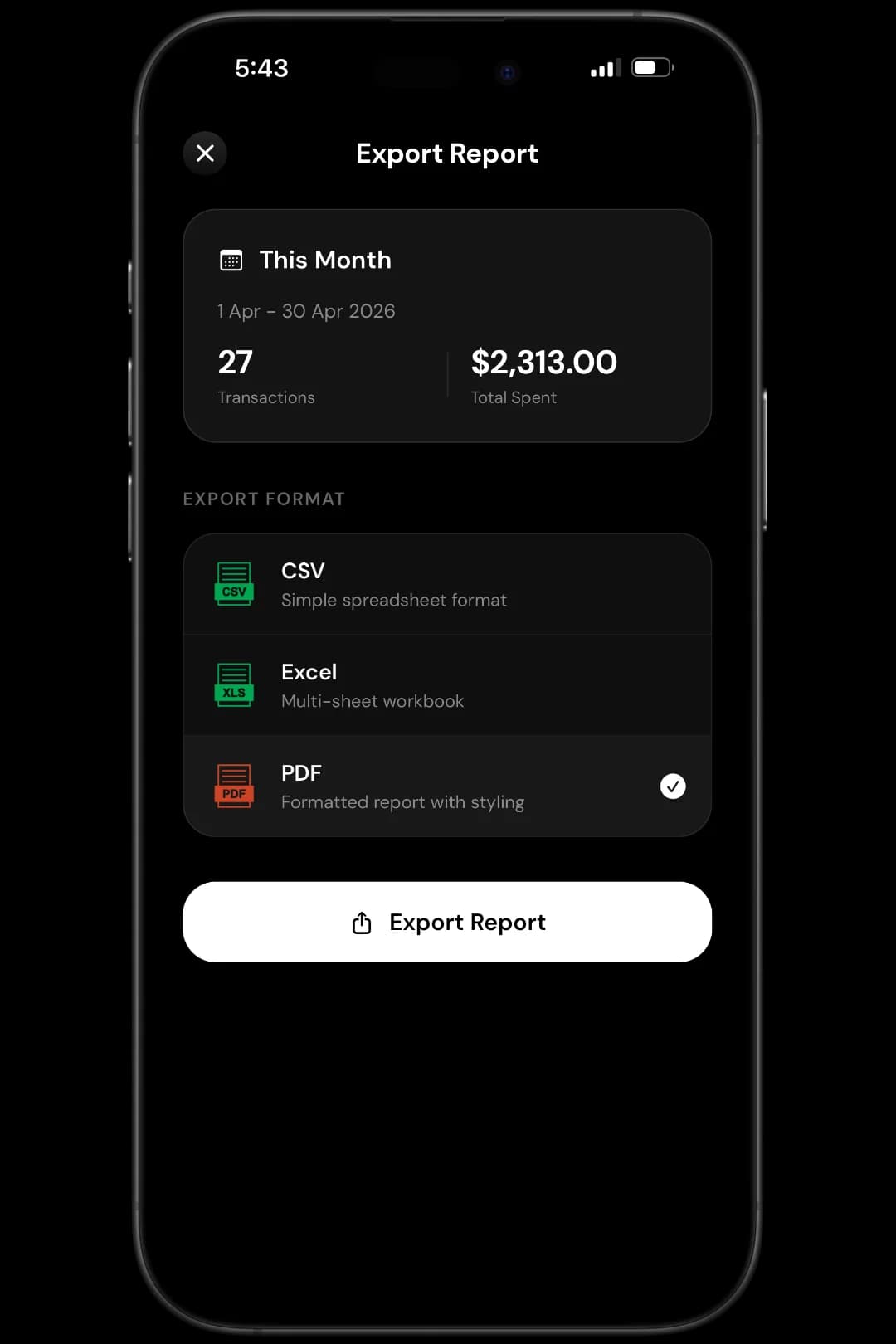
Whether you need expense reports for taxes, want to share spending with a partner, or simply want a backup — Expenly exports your data in seconds. Choose your format, pick your date range, and get a clean, formatted file.
- Export to CSV, Excel (XLSX), or formatted PDF
- Custom date range and category filters for every export
- Full backup and restore to protect your history
- Your data never touches a server — 100% yours, 100% private
Always on. Always aware.
Add Expenly widgets to your iPhone home screen or lock screen. Stay on top of your spending at a glance — no app launch needed.
Budget Progress
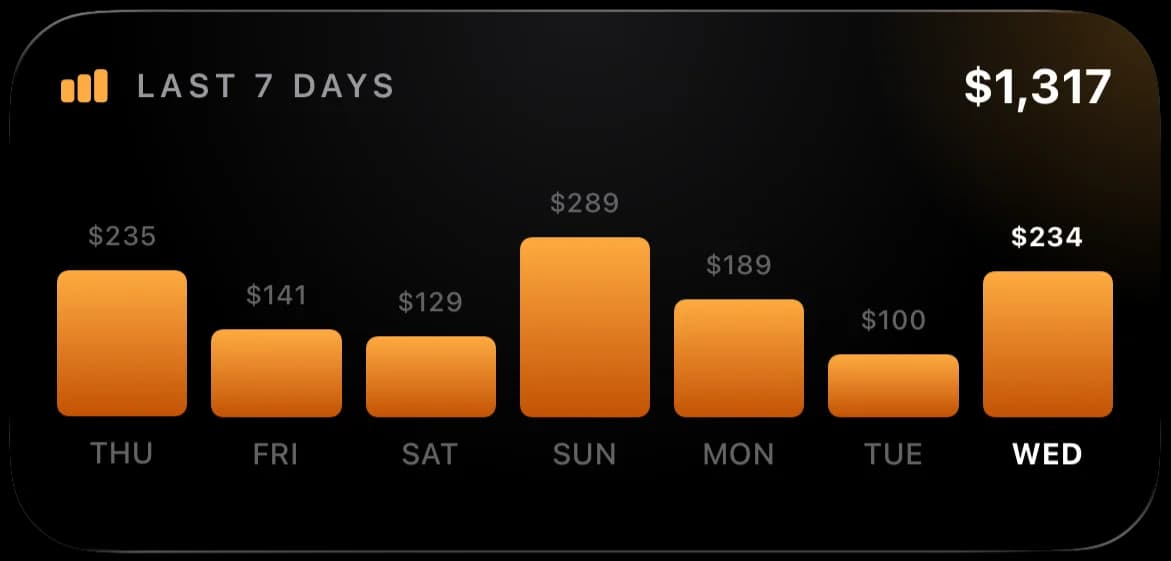
Last 7 Days
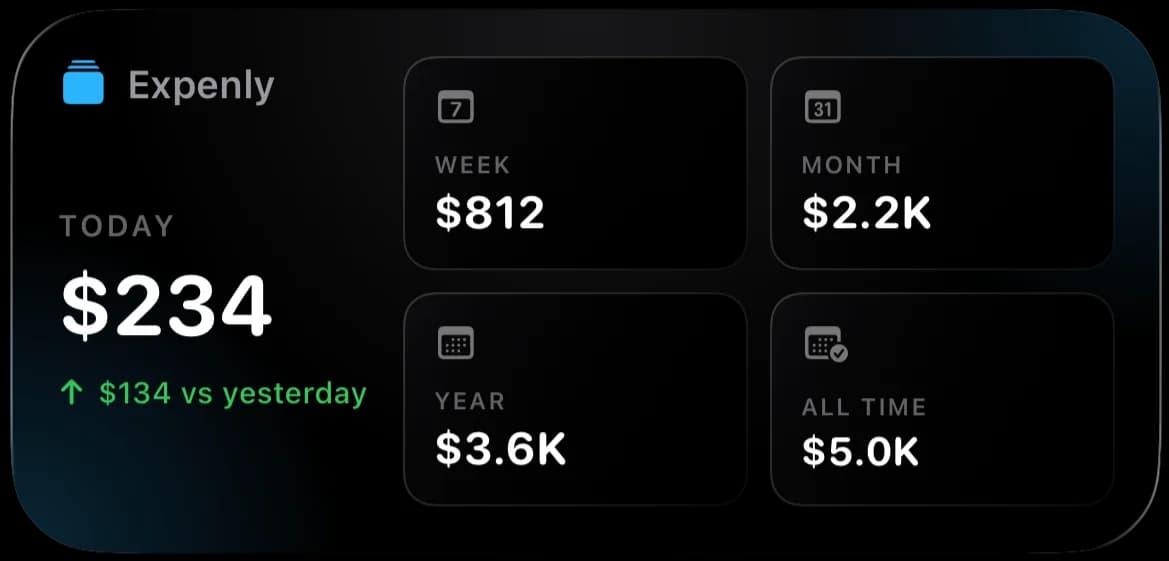
Spending Overview
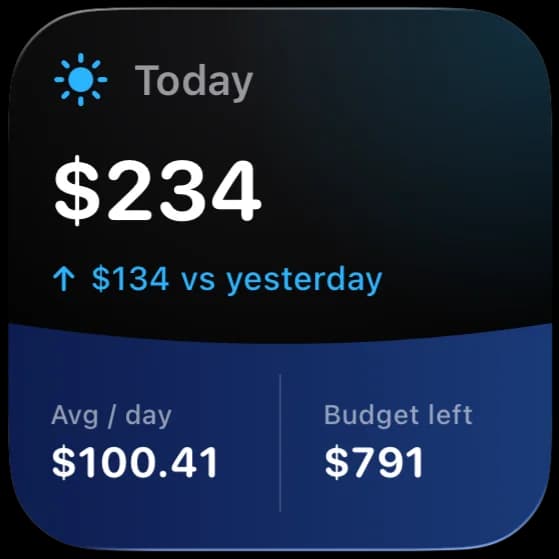
Today
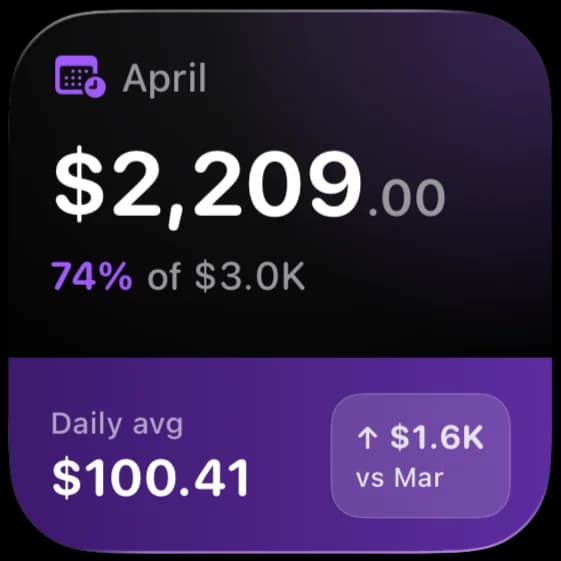
This Month
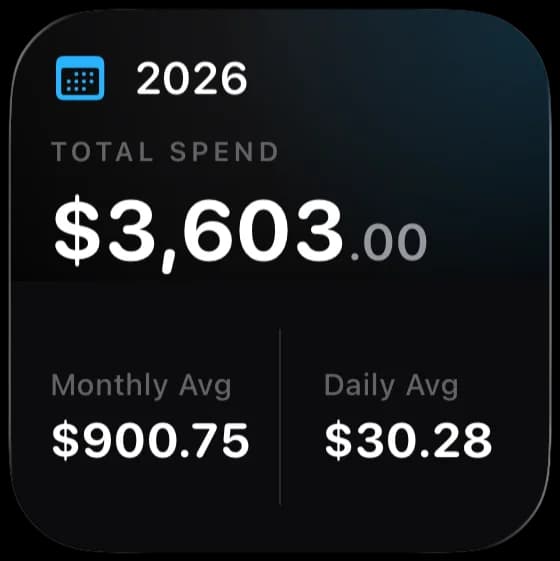
Year Total
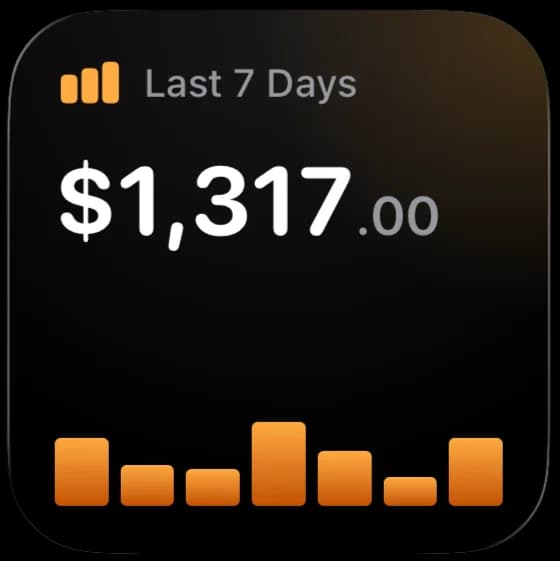
7-Day Chart
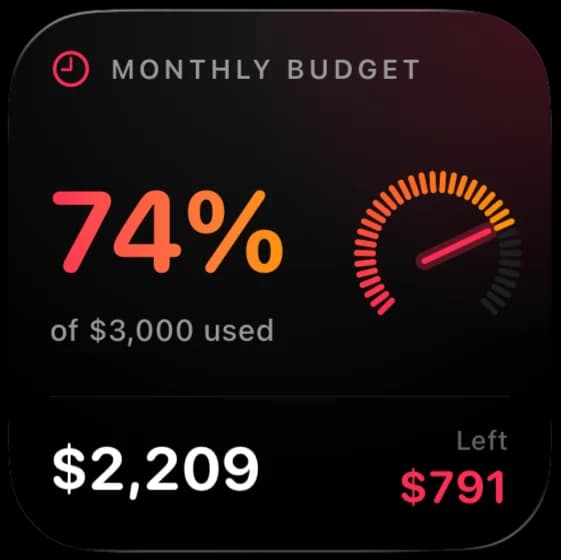
Budget Gauge
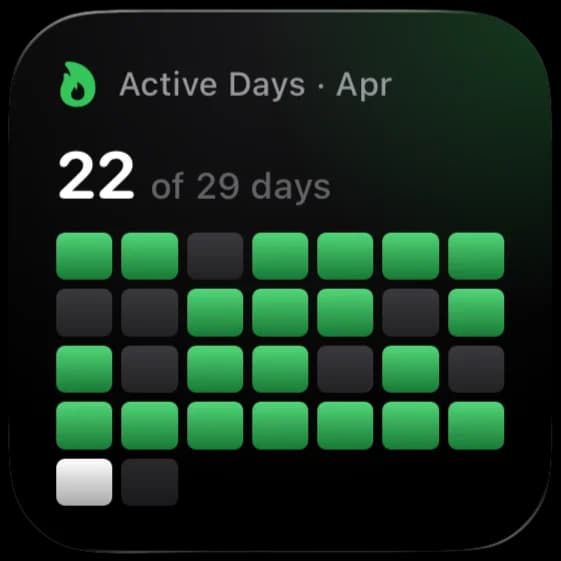
Active Days
Available in small, medium, and large sizes for home screen and lock screen
Your financial data never leaves your iPhone
Unlike most budgeting apps, Expenly doesn't ask for your bank credentials, doesn't create a cloud profile, and doesn't harvest your spending habits. Everything stays on your device — always.
- 100% On-Device
- All expense data is stored locally on your iPhone using Apple's secure on-device storage. Nothing is transmitted to any server, ever.
- No Account Required
- No sign-up, no login, no email address. Open the app and start tracking. Your identity is never tied to your financial data.
- Works Fully Offline
- Expenly doesn't need an internet connection. Track, search, and review your expenses anywhere — on a plane, in a tunnel, off the grid.
Take control of your
spending today
Join thousands of iPhone users who track their daily expenses with Expenly. Free to download, no account needed, and your financial data never leaves your device.
Free to download · iOS 15.1+ · No account required